T1Open
Secretary with calendar
Answers every call, books the right service on the right calendar or takes a precise message.
Connect AI to your ERP, don't replace it.
No more retyping invoices and delivery notes, chasing quotes and calls. Describe your work: the agent does it and hands back a result ready to check.
You approve. Every step is traced.
Reading…
Reads what you already use
Film · voice and subtitles in Italian
An email arrives, the app reads it, looks things up in your ERP, checks, and leaves you only the decision. Every app has its own film of a couple of minutes, with a voice and subtitles.
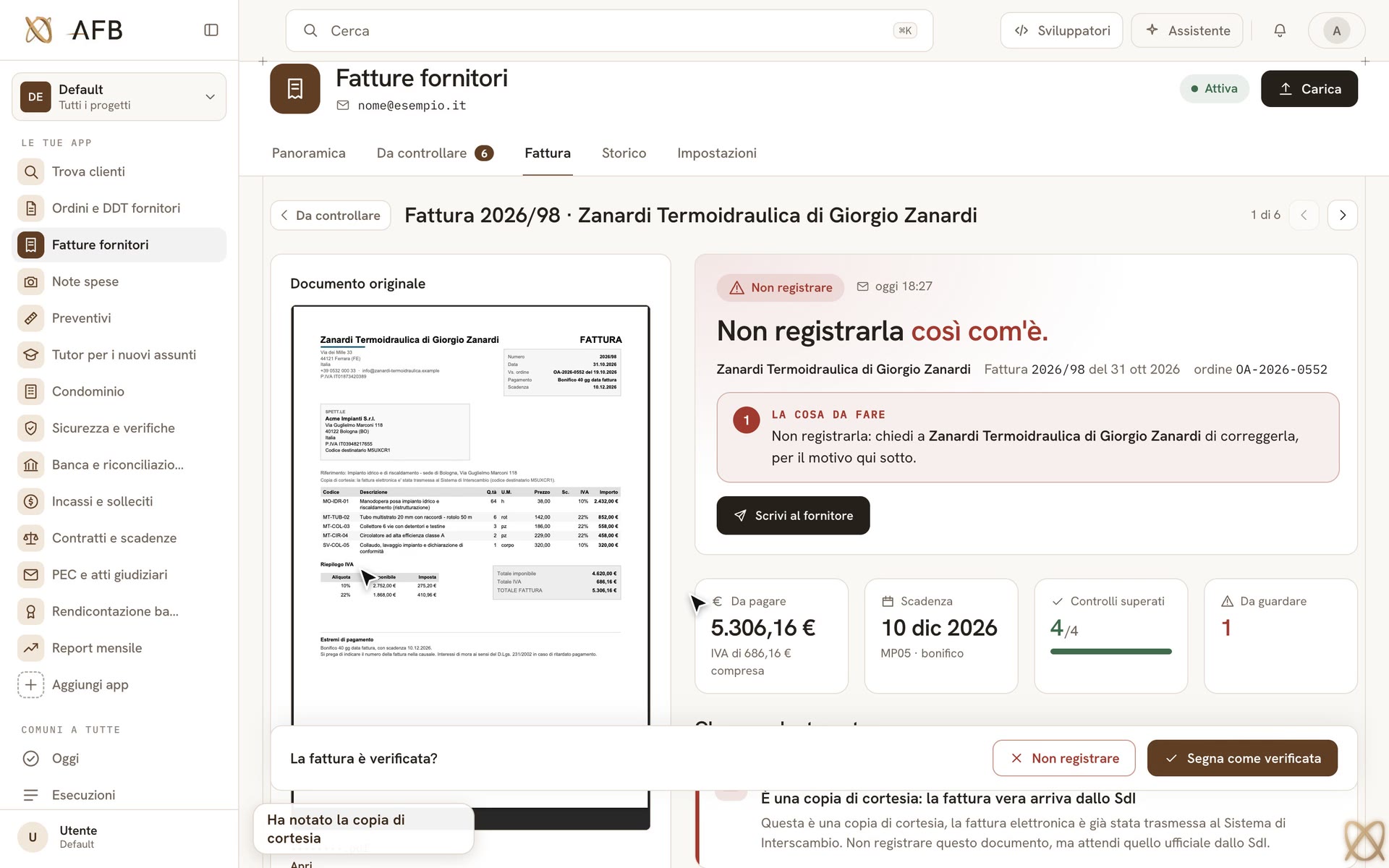
Controlla ogni fattura prima di registrarla o pagarla: totali, IVA, ritenuta, IBAN.
Film 1 of 18: Supplier invoices
Recorded examples
Order confirmations and delivery notes arrive by email: the app reads them, looks the codes up in the ERP and checks them against your order.
3 free runs today
Ready-made agents
You copy one, adapt it to the way you work and try it on your own documents.
Phone and written requests
A call comes in, or a price request on WhatsApp or by e-mail; you get back the appointment in the calendar, or the offer with the reply already written.
2 agentsSupplier and customer documents
Order confirmations, delivery notes, invoices, offers and price lists arrive; you get back every difference with its euros and the CSV load for your ERP.
5 agentsThe supplier's order confirmation checked line by line against your purchase order, each difference with its euros.
Reads the supplier's delivery note, photographed on site too: what arrived, what is short and what is over.
Before you register or pay an invoice, it tells you whether the figures add up, what is odd and what you must do.
Compares two to five wholesalers' offers line by line against your parts list: who is cheaper, what is missing.
Applies a wholesaler's new price list to yours: new costs, discontinued items, prices below margin.
Training and internal procedures
A new hire's question arrives; they get back what to do, from your procedures, with the document and the page.
1 agentA new hire asks what to do and gets a short answer from your own procedures, with the quote and its page.
New customers
Say who you are looking for and in which area; you get back the companies with what they do, who decides and a draft for you to send.
1 agentA list of companies to contact in your area, each read on its own website, with who decides and a draft you send.
Flows
A flow puts several apps on the same job. Each does its part and hands on what it read, so the second one does not start from scratch. You decide once, at the end.
2 apps · 1 decision
A real run, replayed at its own pace
Buongiorno, in allegato la foto del DDT 412/26 firmato in cantiere e la fattura 2026/FT-0184 dell'ordine OA-2026-0311 (Palazzo Santoro). Cordiali saluti Amministrazione
What it read and checked
What passes from one app to the next
What it read and checked
One, for the whole chain
It costs nothing · a real run, replayed at its own pace (4:08)
Film · voice and subtitles in Italian
A real email: two apps work one after the other, the first hands the second what it read, and one decision is left to you.
Each flow joins apps you already have, or can take from the Catalogue. Watch the film, then «Use this flow» in the console.
The delivery note, then the same supplier's invoice: the second app gets what the first one read.
2 apps · 1 decision · 4:08 · 51.4 credits
The order confirmation and the delivery note, checked against your order: what to dispute.
2 apps · 1 decision · 10:55 · 53.4 credits
A certified email arrives: if it is a court document, it works out the deadlines and puts them in the lawyer's diary.
2 apps · 1 decision · 1:42 · 20.7 credits
Reminders for late customers; if one has to go to the lawyer, the file is already prepared.
2 apps · 1 decision · 3:40 · 17.2 credits
AI connected to your ERP
Where documents already arrive: a folder or an SFTP, your ERP's Excel or CSV export, a table of its database through a read-only login. Nobody uploads anything by hand.
suppliers/incoming · open_orders.xlsx
Every step is traced: what it read, what it checked, what it decided and why. When it is not sure enough, it stops and asks you.
To check: 2 lines
The result as CSV or Excel to import into your ERP, the PDF report, the reply already written. It never writes into your ERP by itself: you decide what to import.
goods-received-412.csv · report.pdf
The difference
Real recorded examples
Every example is a real run, replayed with its real timings: no promises.
Nothing sent without you
Every step stays traced; it never writes into your ERP by itself.
Pay per run
Credits for the work done, data stored in the EU (Germany).
Data stored in the EU (Germany) · AI models from US providersYour data How it works
Pricing
A credit is the unit in which you pay for the work done.
Free
500 credits, one-off
≈ 12–26 supplier invoices in all
€99 / month + VAT
2,400 credits a month
≈ 60–126 supplier invoices a month
€400 / month + VAT
10,000 credits a month
≈ 250–526 supplier invoices a month
€1,700 / month + VAT
50,000 credits a month
≈ 1,250–2,631 supplier invoices a month
Custom
from 250,000 credits a month
≈ 6,250–13,157 supplier invoices a month
Each run uses credits according to how much the agent read, checked and wrote, and to the minutes spent on the phone.
Once the month's credits are spent, runs continue on the credit packs you have bought; the monthly spend cap and the per-run budget stop them before they overspend.
File storage is not paid in credits: each plan includes space up to a fixed cap.
Ready-made AI agents, 31 in the catalogue, that work beside your ERP. They answer the phone, read supplier documents, prepare quotes and replies: you check and approve, and they never write into your ERP by themselves. Why us: the examples on the site are real recorded runs, every step is traced, and you pay per run, with your data stored in the EU.
No. We automate the work around the ERP, in any company: calls and customer requests, supplier documents, the questions of whoever just started. The sectors in the examples are only examples. In a pilot we start from your own company's procedures: one job at a time, on your real documents.
One currency for everything: credits. Each plan includes a monthly allowance, and a run spends credits for the work it actually did — models called, pages read, minutes on the phone. Every run's trace shows what each step cost, and spend caps stop the meter where you set them.
Your data is stored in the EU, on one server in Germany. The EU/US data-region setting limits which models an agent can be saved with, not where your data is stored. A no-retention mode and a local runner on your own machine are available. Your plan sets how many days your data is kept — you can change it — and when they run out it is deleted automatically. You download each run's results and delete files, agents and connections in the console; an owner deletes the whole workspace and each person their own account from Settings. The “Your data” page names the services that handle your data.
Yes, beside it. The agent reads what your ERP can already export — Excel, CSV, XML — or a table of its database through a read-only login, and hands back files ready to import. There is no direct connector to a specific ERP, and it never writes into your ERP by itself: you decide what to import.
You do — and it takes a minute, not an afternoon. Every run is a trace: the live timeline, each tool call, each document read, the cost per step, the confidence and sources. Actions that leave the building wait for your approval. The platform never sends, never touches a live store, never moves money.
Start today
Try it free with 500 credits, or book twenty minutes and we run it together, live, on a real case of yours.